Almost half of all the sharing that happens online is done on Facebook. This in itself is testament enough that Facebook does the job of connecting people fairly well. However, there are some tips and tricks that can allow you to get more out of Facebook and this article contains a list of some of the best such Facebook tips.
Stop Hackers on FacebookAre you worried about hackers hacking your Facebook account and posting stuff you don't want them to? Just read the linked post to protect yourself from most basic hacks.
Change Facebook's ThemeAre you bored with the default blue colored Facebook theme and want to get rid of it? Go change it to something super cool.
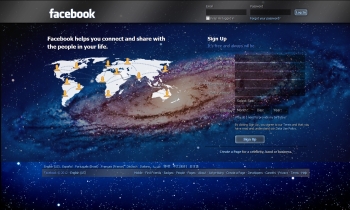 |
| Facebook Galaxy Theme |
Post an Empty/ Blank StatusAre you tired of constantly thinking new and interesting status updates for your Facebook friends? Then, post an empty status and show your friends that you denounce the thinking that if your status isn't cool, you aren't either. Just go to Facebook, hold Alt and press 0, 1, 7 and 3 respectively and click Post. This will post the null character as your status which basically is an empty space. Laptop users can do this after activating the Number Lock.
 |
| This is how the empty status looks like. |
Subscribe to the RSS feed of your Notifications Go to
Facebook's notifications page and click on the RSS link to find the RSS feed containing all your recent notifications. You can then subscribe to this feed in any desktop based RSS reader to instantly know when a new notification occurs.
Change Facebook's Posted via textHave you noticed that when you update your Facebook status from a mobile, Facebook adds a "Posted via Mobile" link at the bottom of it? You can change that to say hilarious things like "via Carrier Pigeon" or "via My Bedroom." To do this, just go to
PostedVia, choose a delivery option and update your status or post to a friend's wall.
 |
| I posted this status from the unreleased iPhone 5 ;) |
Know when friends Unfriend youFacebook notifies you when someone adds you as a friend but Facebook does not notify you when someone unfriends you. If you wish to access this data, you can use
Social Fixer Facebook extension, which will not only allow you to do this but a lot more too.
Update Facebook Status from FirefoxFireStatus is a Firefox addon that allows you to instantly update your Facebook status without having the need to visit Facebook again and again.
Use Dynamic Facebook Profile Links to Fool your FriendsThis is a funny use of technology to have fun with your friends. Just say some mean things in your status and then include this link -> www.facebook.com/profile.php?=1233445566. This may look like a link to a specific person's Facebook profile but in reality, it redirects users to their own profile. This happens because of the missing 'id' parameter. You can change the numbers to anything you like.
Find Exactly What you are looking for on FacebookIf you ever had trouble finding a friend or a specific post by one of your friend, you should definitely take a look at the
Facebook page on searching. It will help you to get acquainted not only with how Facebook search works but also enable you to get the most out of it.
Access Facebook Chat on Your DesktopHave you ever wanted to chat with your Facebook friends without opening a web browser? Desktop based applications like
Digsby can allow you to stay connected with all your friends even when you close your web browser. This is much similar to chatting with Yahoo! Messenger or Google Talk chat client.